
Dice Slam - Fun Classic Game
FunCraft GamesBoard
4.9256.00 Reviews
- Version
- 1.1.24973
- Installs
- 50.00K
- Age Rating
- Everyone
Screenshots
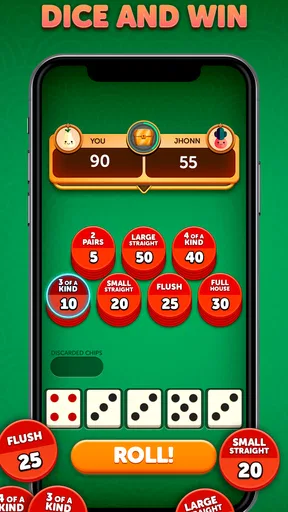
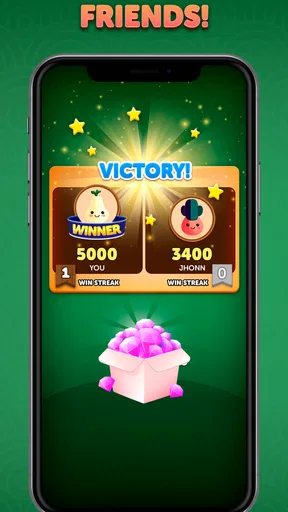
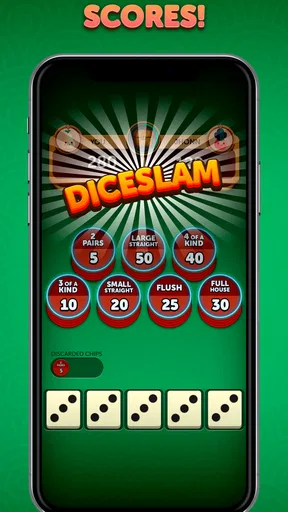
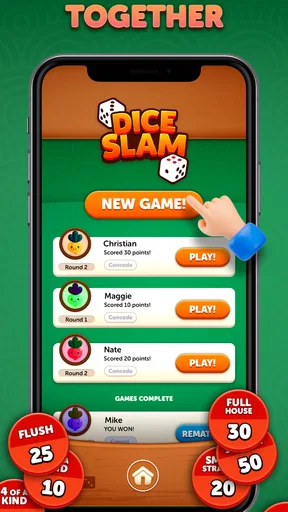
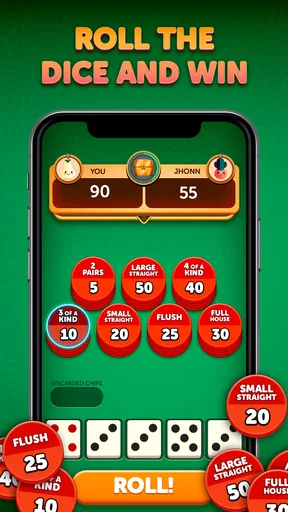
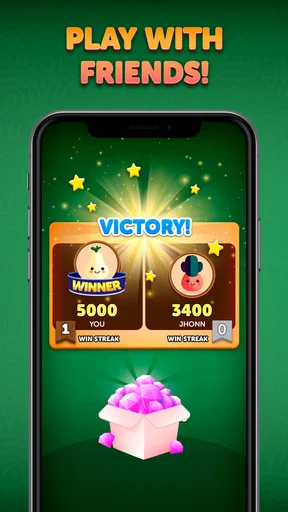
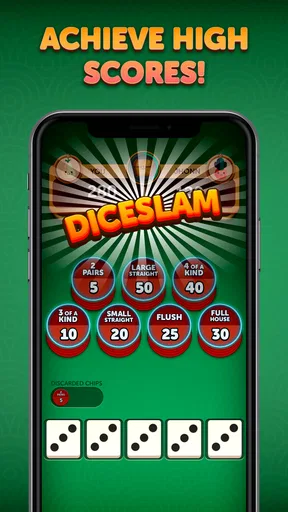
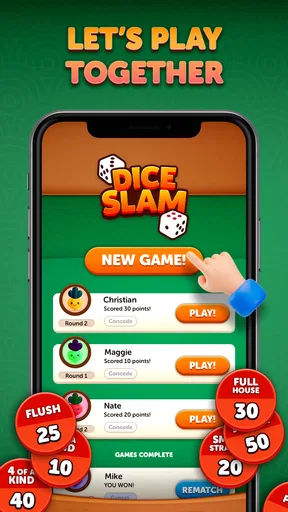
Our Review of Dice Slam - Fun Classic Game
 Analysis by Appyee
When I try a new dice game, I want to know quickly whether I can understand the first turn without studying a rulebook. Dice Slam - Fun Classic Game is built around a familiar idea: roll dice, collect chips, and make choices as the round unfolds. That makes it approachable for a short break, though the simple premise may not satisfy someone looking for a deep board-game campaign.
What to expect from a quick session
This is a board game from FunCraft Games, offered free to play. Its store summary points to dice rolling and chip collecting, so the basic appeal is easy to grasp before you install it: luck gets the action moving, while your decisions determine how you handle each opportunity. The combination suits people who enjoy compact, repeatable rounds rather than a long story or a large collection of systems to manage.
I’d approach it as a casual game to dip into when I have a few minutes, not as a substitute for a substantial tabletop night. The rating is Everyone, which makes the game broadly approachable for family play, although a parent should still use their own judgment about online interactions and spending. Its 4.7 average from around 1.8K ratings is encouraging, but ratings can’t tell you whether its pace or competitive feel will match your taste.
Getting started without overthinking it
On a first launch, I’d focus on learning the basic rhythm rather than trying to optimize every choice. Look at what a roll offers, notice how chips relate to progress, and take a moment to understand what the game asks you to do before committing to a move. That simple habit makes a luck-driven game feel less random: even if the dice are unpredictable, you can make each decision with a clearer sense of its purpose.
The game is listed for Android 7.0 and newer, and its current version is 1.1.24599. If you’re installing on an older phone, checking the operating-system requirement first is more useful than assuming every device can run it. It has over 10K installs, so it has found an audience, but that scale alone shouldn’t be mistaken for a guarantee that every match will feel busy or that every opponent will be a good fit.
Finding a first satisfying move
For a new player, a meaningful first success doesn’t have to be a dramatic win. I’d count it as a good start if I can complete a round, understand why a chip was gained or spent, and recognize one decision I’d handle differently next time. That gives you a practical learning loop: play, observe the consequence, and adjust, instead of treating every lucky or unlucky roll as proof that you have no control.
A useful early tactic is to pause briefly after each roll and identify the safest reasonable choice before chasing a bigger payoff. I wouldn’t assume that a bold play is always better just because it looks exciting. In dice games, restraint can be a skill: keeping track of what you’re risking helps you learn the game’s feel and makes a close round more informative, even when the result doesn’t go your way.
How it fits into an ordinary day
Imagine waiting for a friend at a café, with enough time for a quick distraction but not enough to start a sprawling strategy game. This is the kind of setting where a dice-and-chip loop can work well: the rules are familiar in spirit, the actions are easy to follow, and you can concentrate on a small decision at a time. I’d still avoid starting a match if I needed to put my phone away at any moment; a convenient game is only convenient when its round length suits the interruption risk.
It may also work as a low-pressure way to introduce someone to digital board games. Rather than explaining a complicated deck or map, you can begin with the roll and the chips, then let the other player learn by seeing what happens. For a family setting, I’d play alongside a younger newcomer the first time, both to explain choices and to decide together whether online play or purchases are appropriate for them.
Where it sits among other board games
Compared with a traditional physical dice game, a phone version removes the need to supply dice, keep track of every result by hand, or gather everyone around the same table. That convenience is the main trade-off: a screen can make solo play and quick access easier, but it doesn’t recreate the same face-to-face atmosphere as passing dice around with friends. If your favorite part is the conversation at the table, a physical game is still the better choice.
Against a complex digital board game, this one’s strength is its accessible central action. You don’t need to set aside a long session to learn a huge ruleset, which makes it a more plausible choice for casual play. The flip side is that players who want layered planning, a campaign, or a board that changes dramatically from one session to the next may find a focused dice game too narrow. I’d choose it for quick decisions, not for a deep strategic project.
Small choices that make play smoother
One thing I’d recommend is treating early rounds as practice rather than as a test of skill. Notice whether you tend to spend chips as soon as you can, or hold back for a situation that feels more worthwhile. That self-check is useful because the same roll can feel very different depending on what you’re trying to protect or achieve. It also helps separate a decision you can learn from an outcome that was simply shaped by chance.
Another practical habit is to decide in advance how long you want to play. Dice games can invite one more round because each session feels self-contained, and that makes them easy to open during a spare moment and harder to put down when you’re chasing a better result. I’d set a natural stopping point before starting if I were playing during a commute or while waiting for an appointment.
Free to download doesn’t mean every optional purchase is necessary. The game includes in-app purchases ranging from $0.99 to $49.99 per item, so I’d begin without spending and see whether the basic play loop holds my interest. If a purchase prompt appears, take a moment to decide whether it adds something you genuinely want rather than treating it as a requirement for learning the game. That’s especially sensible when sharing a device with a child.
Questions worth considering before you play
If you’re wondering whether you need experience with dice games, I don’t think you need to be a board-game regular to give this one a try. The roll-and-chip premise is easy to approach, and learning by watching the result of a choice should feel more natural than memorizing a long set of rules. If you prefer to know every rule before making a move, take your time with the opening guidance instead of rushing through it.
If you’re deciding whether it is suitable for a child, the Everyone age rating is a helpful starting point, not a replacement for checking how the child uses the game. I’d also keep purchase settings in mind because optional items have a wide price range. And if your main concern is whether it works on your phone, the Android requirement is version 7.0 or later; checking your device’s software version before installing is the straightforward way to avoid a compatibility surprise.
Another common question is whether it’s better for solo downtime or playing with other people. I’d choose based on what you want from the session: a simple distraction can make sense on your own, while a competitive or social setting is more appealing when you’re in the mood to share the experience. If you strongly prefer games that never involve online interaction, stick to the options you can comfortably use and don’t assume that a social feature is essential to enjoying a dice-based game.
Who should give it a try—and who might pass
I’d recommend it to someone who likes luck-based board games, wants an uncomplicated way to fill short gaps in the day, or is looking for a gentle introduction to digital dice play. It’s also a reasonable pick if you enjoy trying to improve through small decisions rather than needing a large progression system. The free entry point makes it easy to test the core appeal before deciding whether it deserves a regular place on your phone.
I’d skip it if you’re looking for a long-form strategy game, dislike random outcomes, or want a tabletop experience built around in-person conversation. It may also be a poor fit if you’re trying to avoid optional spending entirely and don’t want to manage purchase prompts. Those aren’t flaws that make the game unsuitable for everyone; they’re reasons to choose a different kind of board game for a different mood.
Dice Slam - Fun Classic Game has a 4.7 average and 132 written reviews, figures that suggest a positive reception without telling the whole story of how it will feel in your hands. I’d use them as a reason to consider a trial, not as a promise that every session will land. What matters more is whether you enjoy the pace, can follow the chip decisions, and find the balance of luck and choice satisfying after a few rounds.
If you want a quick, accessible dice game rather than a deep strategy experience, Dice Slam - Fun Classic Game is worth trying. I’d start with a free session, learn what the chips mean through play, and keep spending optional until you know the game is for you. That gives you a low-pressure way to find out whether its compact rounds suit your routine.
First Impressions
Upon downloading Dice Slam - Fun Classic Game, I was immediately struck by its straightforward design. No frills, no fuss, just a clean interface that gets you right into the action. The app takes you back to those good old days of playing dice games with friends and family, except this time, you can do it from the comfort of your couch.
The setup is intuitive, making it easy even for beginners to jump in. The tutorial is helpful without being intrusive, guiding you through the basic rules and strategies. I appreciated this approach because it allowed me to start playing without wading through endless instructions.
Gameplay and Features
So, what’s the game all about? Well, the core concept is super simple: roll the dice and score points. The rules are reminiscent of other classic dice games, but with some modern twists that keep things fresh. You compete against either AI opponents or other players online, which adds a nice layer of competition.
One of the features I really enjoyed is the multiplayer mode. You can challenge friends or random players from around the world, which adds a social aspect that's both engaging and, at times, hilariously competitive. The chat function is a nifty addition, allowing you to exchange friendly banter (or trash talk) during games.
The app offers various game modes, including timed challenges and tournaments. These keep the gameplay from getting stale and provide ample opportunities to test different strategies. I found myself constantly trying to beat my previous scores, which is a testament to how addictive the game can be.
Graphics and Sound
Visually, the app is appealing without being overwhelming. The graphics are vibrant, with smooth animations that make the dice game come to life. The sound effects add to the experience, with a satisfying "clink" every time you roll the dice. It’s the little things that make a difference, and here, they do enhance the overall feel of the game.
Music-wise, the background tunes are catchy but not distracting, allowing you to focus on your game plan. If you're someone who likes to jam to their own tunes, you can easily mute the in-game music and keep rolling with your playlist of choice.
What Makes It Stand Out?
Now, you might wonder, "What makes this app different from other dice games out there?" For me, it’s the combination of simplicity and replayability. Dice Slam - Fun Classic Game doesn’t try to be anything it's not. It delivers a classic experience with just enough modern flair to keep things interesting.
The developers have done a great job of balancing tradition with innovation, ensuring that both veterans and newcomers can enjoy the game. The frequent updates and new features also show that the app is continuously evolving, which is always a plus in my book.
Final Thoughts
In conclusion, Dice Slam - Fun Classic Game is a delightful way to pass the time, whether you're a seasoned dice enthusiast or just looking for something fun and casual to play. Its user-friendly interface, engaging gameplay, and charming visuals make it a must-try. So grab your phone, download the app, and let the dice-rolling adventure begin!
For those interested, you can find the download links for both Android and iOS on our website. Trust me, you won't want to miss out on this classic gaming experience!
Verdict
Strengths of Dice Slam - Fun Classic Game
- Engaging graphics and smooth animations.
- Easy to learn for beginners.
- Multiplayer mode enhances social play.
- Frequent updates with new challenges.
- Offline play option available.
Limitations of Dice Slam - Fun Classic Game
- In-app purchases can be pricey.
- Occasional ads disrupt gameplay.
- Limited customization options.
- Requires internet for leaderboards.
- Tutorial is somewhat brief.
Other Releases by FunCraft Games
View All


Similar Picks in This Category
View All
Ludo King®
Gametion4.1

Ludo
Yarsa Games4.6

Tile Master® - Matching Game
Higgs Studio3.6

Checkers Online
CC Games4.6

Dominoes
Loop Games4.7

Chess
Chess Prince4.6
Frequently Asked Questions
What is Dice Slam and how do I play it?
Dice Slam is a classic dice game that combines strategy and luck. Players take turns rolling dice to achieve specific combinations and earn points. The game is easy to learn but offers depth for those who enjoy mastering strategies. It’s perfect for casual play or competitive matches with friends.
Is Dice Slam available on both Android and iOS platforms?
Yes, Dice Slam is available for both Android and iOS devices. You can download it from the Google Play Store or the Apple App Store. The game is optimized for a smooth experience on all supported devices, ensuring you get the best gameplay on your smartphone or tablet.
Does Dice Slam offer any in-app purchases?
While Dice Slam is free to download and play, it does offer in-app purchases. These purchases can enhance your gaming experience by providing cosmetic upgrades, additional features, or power-ups. However, these are entirely optional and the core game can be enjoyed without spending any money.
Can I play Dice Slam offline, or is an internet connection required?
Dice Slam can be played offline without an internet connection, making it ideal for travel or situations where connectivity is limited. However, certain features like leaderboards and multiplayer modes require an internet connection to function, so you’ll need to be online for those.
Are there multiplayer options available in Dice Slam?
Yes, Dice Slam offers a variety of multiplayer options. You can challenge friends directly or match with other players online. The game supports both local and online multiplayer modes, allowing you to enjoy competitive play no matter where you are. Multiplayer matches add an exciting dimension to the game, keeping it fresh and engaging.
Play our best games!


